
Core Web Vitals Explained: How to Improve Your Website's Google Score
Innodify Admin
Author
Introduction
Have you ever clicked on a website and left within seconds because it took too long to load? You are not alone. Most visitors do the same thing, and Google knows it too.
That is exactly why Google introduced Core Web Vitals, a set of measurable signals that judge how fast, stable, and responsive your website feels to real users. These metrics are now a core part of Google's page experience and directly influence your search rankings.
If your website performance score is low, you are likely losing visitors, conversions, and search visibility all at once. In this blog, we will break down Core Web Vitals in simple terms, explain why website speed optimization matters so much, and show you practical ways to improve your scores starting today.
Whether you run a small business site or manage a large eCommerce platform, understanding these metrics can help you build a faster, smoother, and more search-friendly website.
What Are Core Web Vitals
Core Web Vitals are a group of specific factors that Google considers essential to a webpage's overall user experience. They are part of Google's broader page experience signals, which also include mobile friendliness, safe browsing, and secure connections.
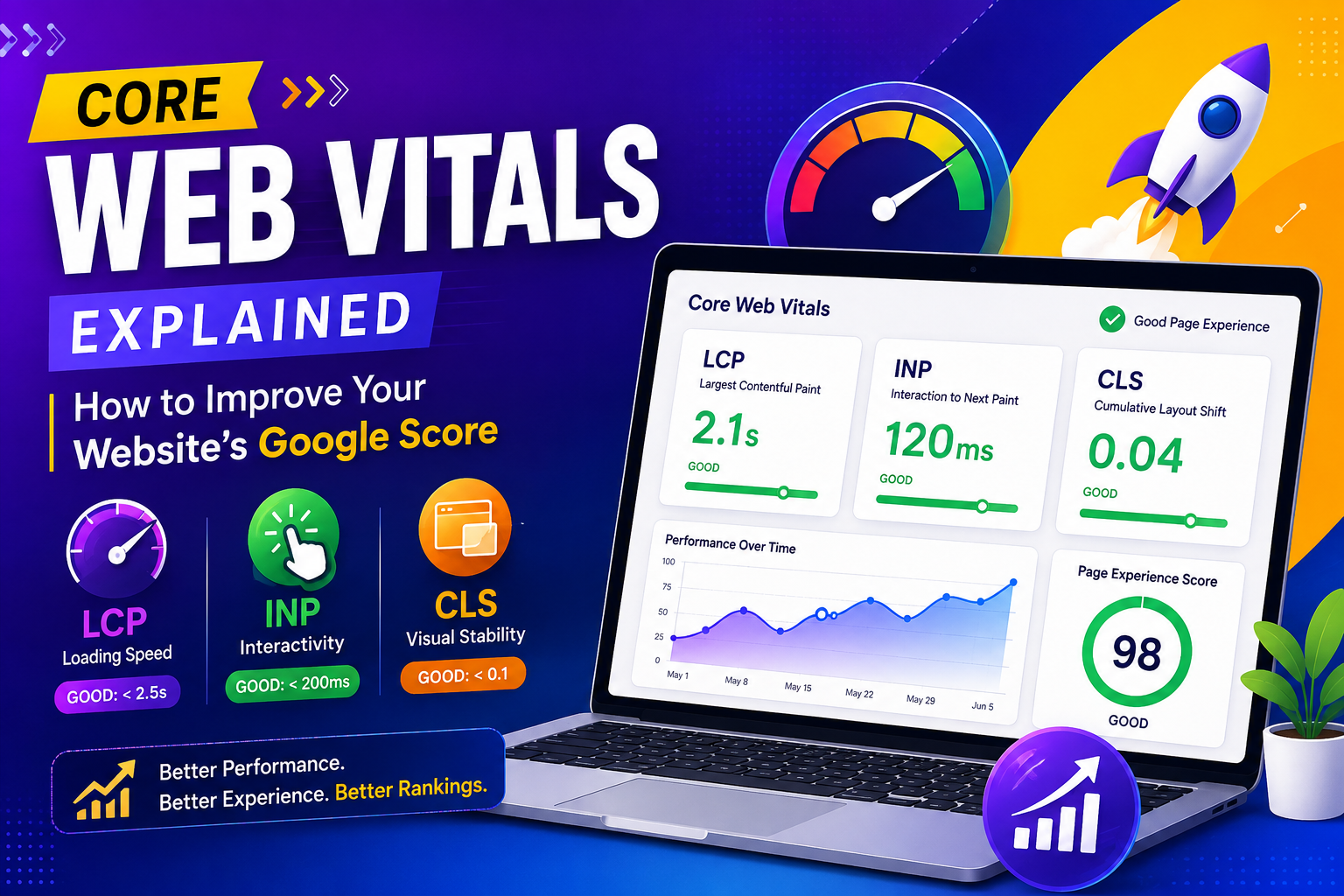
There are three main Core Web Vitals metrics that every website owner should understand.
Largest Contentful Paint (LCP)
LCP measures how long it takes for the largest visible element on a page, usually an image or block of text, to fully load. A good LCP score is under 2.5 seconds. If your LCP is too high, visitors are staring at a blank or partially loaded screen, which increases the chances they will leave.
Interaction to Next Paint (INP)
INP measures how quickly your website responds when a user interacts with it, such as clicking a button or opening a menu. Google replaced First Input Delay with INP because it gives a more complete picture of responsiveness throughout the entire visit, not just the first interaction. A good INP score is under 200 milliseconds.
Cumulative Layout Shift (CLS)
CLS measures visual stability. Have you ever tried to click something on a page, only for the layout to shift and you end up clicking the wrong thing? That frustrating experience is exactly what CLS tracks. A good CLS score is under 0.1.
Together, these three metrics form the foundation of how Google evaluates your website performance score and, in turn, your search rankings.
Core Web Vitals at a Glance
| Metrics | What it Measures | Good | Needs Improvement | Poor |
|---|---|---|---|---|
| LCP (largest Contentful Paint) | Loading Speed of the main content | Under 2.5s | 200ms | over 500ms |
| INP(interaction to next Paint | Responsiveness to user action | Under 200ms | 200ms to 500ms | Over 500ms |
| CLS (Cumulative Layout Shift) | Visual stability while loading | Under 0.1 | 0.1 to 0.25 | Over 0.25 |
Why Core Web Vitals Matter for Your Website
Core Web Vitals are not just a technical checkbox. They have a real impact on your business.
They influence search rankings: Google has confirmed that page experience, including Core Web Vitals, is a ranking factor. Two websites with similar content quality can rank differently based on which one offers a better user experience.
They affect user behavior: Slow websites lead to higher bounce rates. Visitors expect pages to load quickly, and even a one second delay can significantly reduce conversions.
They build trust and credibility: A fast, stable website feels more professional and reliable. Visitors are more likely to trust a brand that delivers a smooth experience from the very first click.
They improve mobile performance: Most web traffic today comes from mobile devices, where slower connections and smaller screens make performance issues even more noticeable. Optimizing for Core Web Vitals naturally improves the mobile experience as well.
If you are serious about growing organic traffic, ignoring these metrics is simply not an option anymore.
How to Check Your Core Web Vitals Score
Before you can improve your website performance score, you need to know where you currently stand. Here are the most reliable tools to check your scores.
Google PageSpeed Insights: gives you a detailed breakdown of your LCP, INP, and CLS scores for both mobile and desktop versions of your site.
Google Search Console: includes a Core Web Vitals report that shows how your entire website is performing based on real user data collected over time.
Lighthouse: built directly into Chrome DevTools, allows you to run performance audits locally and identify specific issues slowing your site down.
Running these checks regularly helps you catch problems early, before they start affecting your rankings or user experience.
Practical Ways to Improve Your Core Web Vitals
Now let us get into the part that matters most, actual website speed optimization strategies you can apply.
Optimize Images and Media
Large, uncompressed images are one of the biggest reasons for poor LCP scores. Compress your images, use modern formats like WebP, and implement lazy loading so images only load when they enter the visible screen area.
Minimize JavaScript and CSS
Unused or bloated code slows down rendering and hurts responsiveness. Remove unnecessary scripts, minify your CSS and JavaScript files, and defer non-essential scripts so they do not block the initial page load.
Use a Reliable Hosting Provider
Your hosting infrastructure has a direct impact on load times. A slow server response time can drag down every single Core Web Vitals metric, no matter how well optimized your frontend code is. Investing in quality hosting or a content delivery network pays off quickly.
Reserve Space for Dynamic Elements
To reduce CLS, always define size attributes for images, videos, and ads before they load. This prevents the page from jumping around as elements pop into place.
Improve Server Response Time
Reducing server response time through caching, database optimization, and efficient backend code helps improve LCP significantly. The faster your server responds, the faster your entire page begins to load.
Prioritize Mobile Performance
Since a large portion of traffic comes from mobile users, always test your Core Web Vitals scores separately for mobile devices. What works well on desktop does not always translate to a good mobile experience.
If managing all of this feels overwhelming, working with a professional team like Innodify can save you time and ensure your website is built with performance in mind from the ground up. Their web development services focus on creating fast, stable, and search friendly websites tailored to your business needs.
Common Mistakes That Hurt Website Performance
Even well intentioned website owners often make mistakes that quietly damage their Core Web Vitals scores.
Using too many third party scripts, such as chat widgets, ad trackers, and analytics tools, can significantly slow down page load times if not managed carefully.
Skipping regular performance audits means small issues pile up over time until they become major problems that are harder and more expensive to fix.
Ignoring mobile optimization is another common mistake, especially when a site was originally designed with desktop users in mind.
Ignoring these details from your website performance strategy makes it much harder to maintain a strong Google page experience score over time.
5 Minute Core Web Vitals Checklist
Short on time? Run through this quick checklist to get an instant sense of where your website stands.
Run your homepage through Google PageSpeed Insights and note your LCP, INP, and CLS scores.
Check whether your largest image or text block loads within 2.5 seconds.
Click a few buttons or menus and see if they respond almost instantly.
Scroll through the homepage and watch for content that jumps or shifts while loading.
Compress any image larger than 200 KB and confirm that lazy loading is enabled.
Remove, defer, or delay any third-party script that is not essential.
Repeat the same checks on a mobile device, since mobile scores often differ from desktop.
This quick pass will not fix every performance issue, but it gives you a clear starting point for deeper website speed optimization work and helps identify the changes that are most likely to improve your Core Web Vitals first.
Final Thoughts
Core Web Vitals are not just another technical trend, they are a real reflection of how your website feels to the people using it. A fast, stable, and responsive site keeps visitors engaged, builds trust, and gives you a genuine edge in search rankings.
Improving your website performance score does not happen overnight, but consistent effort in the right areas, image optimization, clean code, reliable hosting, and mobile friendliness, adds up to a noticeably better experience for both users and search engines.
If you want expert help turning these improvements into results, the team at Innodify specializes in building websites that are fast, functional, and fully optimized for Google page experience standards.
FAQ
What are Core Web Vitals?
Core Web Vitals are a set of three metrics, LCP, INP, and CLS, that Google uses to measure a webpage's loading speed, responsiveness, and visual stability.
Do Core Web Vitals affect SEO rankings?
Yes. Core Web Vitals are part of Google's page experience signals and can influence how your website ranks in search results, especially when competing against similarly relevant content.
What is a good Core Web Vitals score?
A good score means LCP under 2.5 seconds, INP under 200 milliseconds, and CLS under 0.1. Scores above these thresholds indicate room for improvement.
How often should I check my website performance score?
It is a good idea to check your Core Web Vitals scores at least once a month, or after any major update to your website, to catch performance issues early.
Can website speed optimization improve conversions?
Absolutely. Faster websites reduce bounce rates and create a smoother user journey, which often leads to higher engagement and better conversion rates.
Recommended for you

Top 10 Productivity Metrics Every Company Should Track in 2026
Discover the top 10 productivity metrics every company should track in 2026 to improve efficiency, measure performance, and scale business growth using data-driven strategies.

Top 7 Signs Your Business Needs a New Website
Is your website helping your business grow or driving customers away? An outdated, slow, or non-mobile-friendly website can hurt your credibility, reduce conversions, and lower your Google rankings. In this blog, we explore the top 7 signs that indicate it’s time to redesign or rebuild your business website. From poor user experience and slow loading speeds to weak SEO performance and low lead generation, these warning signs can directly impact your revenue.

Why Surat Businesses Need a Mobile App in 2026 (Real Examples)
Surat businesses across jewellery, restaurants, fashion and services are moving to mobile apps in 2026. Here is why, with real-world examples of how a business mobile app in Surat drives customer retention and growth.